











WhatsApp +212 772 096 856

MIPTV4K – IPTV Subscription in 4K - Live Sports, TV and Movies

MIPTV4K IPTV Subscription: Live Sport in 4K Across 25,000+ Channels

Kick-off, tip-off and the main event reach the screen you own live, in 4K where the broadcast exists, with an HD version one click away. You get 25,000+ channels, 120,000+ films and series, 24/7 WhatsApp help and a login in under 15 minutes. Plans start at $15, or test it free for 24 hours.

  • Full refund within 7 days
  • Real people on WhatsApp 24/7
  • Login sent in minutes
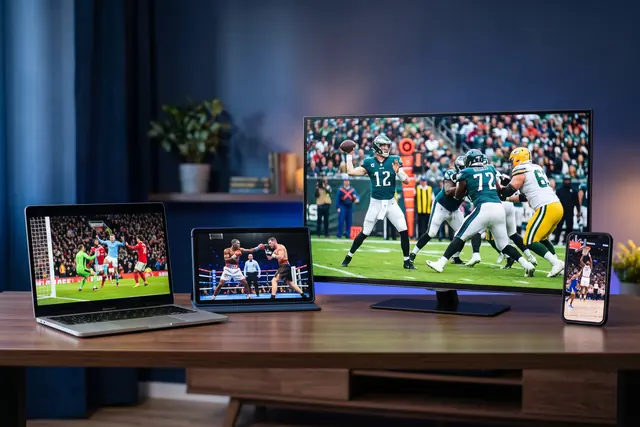
MIPTV4K 4K IPTV subscription playing on a smart TV, tablet, laptop and phone together
25,000+ Channels streaming in 4K, FHD and HD

Order MIPTV4K tonight and watch tonight. There is no contract, and no plan ever renews by itself.

Message us to order

Each plan is backed by a 7-day refund promise

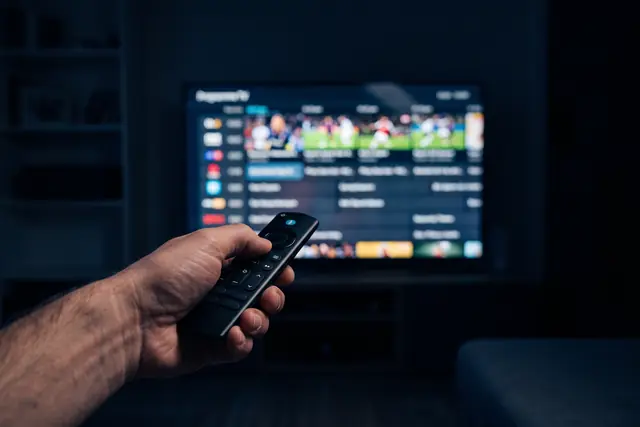
Family settled in front of the living-room TV watching a MIPTV4K IPTV subscription Remote control choosing a live sports IPTV channel in the MIPTV4K guide
The MIPTV4K idea

A 4K IPTV Service Built Around the Live Moment


A replay never feels like seeing the goal go in live. MIPTV4K is an IPTV subscription shaped around the nights that count: the derby, the title fight, the playoff game that runs into overtime. Those events stream in 4K whenever the broadcaster produces a 4K feed, and an HD copy waits beside it if your line dips.

Sport sets the tone, yet it is far from the whole package. One login opens 25,000+ live channels drawn from the USA, Canada, the UK and 60+ countries overall. On quiet evenings there are 120,000+ films and series to fall back on. The servers hold 99.9% uptime and are balanced for the hour when everyone presses play together.

Each market has its own page. Read about IPTV in the USA, IPTV for Canadian viewers or IPTV across the UK to see the local networks included. Football fans can go straight to our NFL IPTV coverage. If you are still shopping around, start with what to check before you buy IPTV, or meet the people behind MIPTV4K.

  • Set up for viewers in the US, Canada, the UK and Europe
  • 99.9% uptime, balanced for match-night traffic

IPTV on Every Device You Already Own

One login covers Fire TV, Android TV, Samsung, LG, Apple, Roku, Windows and MAG or Formuler boxes

You do not need new hardware before the next game. Tap your device below to open a written walkthrough, or browse the complete IPTV setup hub. Plenty of people begin with the Fire TV Stick installation guide. Android TV owners often prefer the TiViMate setup steps, and Samsung owners can follow the Smart TV installation walkthrough. Whatever the screen, the channels and 4K feeds stay identical.

  • MIPTV4K IPTV subscription on Amazon Fire TV Stick
  • MIPTV4K IPTV subscription on Samsung Smart TV
  • MIPTV4K IPTV subscription on Android TV
  • MIPTV4K IPTV subscription on Apple TV and iPhone
  • MIPTV4K IPTV subscription on MAG and Formuler box
  • MIPTV4K IPTV subscription on Nvidia Shield
  • MIPTV4K IPTV subscription on Android phone and tablet
  • MIPTV4K IPTV subscription on IPTV Smarters Pro
  • MIPTV4K IPTV subscription on Roku
  • MIPTV4K IPTV subscription on Web player and M3U
  • MIPTV4K IPTV subscription on LG Smart TV
  • MIPTV4K IPTV subscription on Windows PC and Mac

IPTV for Live Sports, Sized for Match Night

When a final kicks off, a huge crowd presses play in the same minute. MIPTV4K spreads that load across balanced servers, keeps an HD feed next to every 4K one, and has a person on WhatsApp 24/7 if a stream acts up. Missed the early game? Catch-up TV and the programme guide let you go back.

Every league and channel is listed on the live sports IPTV page. To learn what a 4K stream needs from your TV and connection, read our 4K IPTV explainer.

Browse every channel

25,000+Channels live now

120,000+Films and series on demand

99.9%Uptime across servers

60+Countries in the line-up

Built for viewers in Canada · the United States · the United Kingdom · Europe · the Middle East · Australia

Plans and prices

4K IPTV Subscription Plans and Prices

First choose how many screens should play at once, then choose a length. Every MIPTV4K plan unlocks all 25,000+ channels, the 120,000+-title library and the 4K feeds. A longer term simply costs less per month. One WhatsApp message places the order.

Whichever plan you choose, you get the full 25,000+ channels, the 120,000+ on-demand titles and every 4K sport feed. Nothing renews by itself, there is no contract, and a 7-day refund covers you. All prices are in USD.

Open the full IPTV price table for 1 to 5 devices, read our take on cheap IPTV that still holds up on game day, or run a free 24-hour test before paying anything.

MIPTV4K live sports IPTV programme guide shown across three screens
Ready in under 15 minutesChoose, pay and collect your login inside a single WhatsApp thread.
Getting started

How to Buy IPTV and Be Watching Before Kick-Off

Buying takes one short chat, with no account forms to fill in. Here is the whole process from start to finish.

  1. Pick your plan

    Decide on 1, 3, 6 or 12 months and the number of screens using our IPTV price list. Then press the WhatsApp button.

  2. Get your login on WhatsApp

    Once payment clears, we reply with a username, password, server address and M3U link. That normally takes under 15 minutes.

  3. Open an app and press play

    Install IPTV Smarters Pro or TiViMate with the Smarters Pro walkthrough or your own device guide. Sign in, and all 25,000+ channels load.

Free IPTV Trial: 24 Hours on Your Own Screen

Run the trial on a busy evening, ideally during a live game, so you see how the streams behave when it matters. Every channel is unlocked, and no card is taken. More detail sits on the free trial page.

No card is asked for. The button opens WhatsApp with your request already typed, so you only press send.

Why MIPTV4K

What Makes MIPTV4K the Best IPTV Service for Match Night

Four things matter when a live final is at stake: the price, how fast you get set up, how steady the stream is, and what happens if it fails. This is how we handle each one.

Plain, fair pricing

$15 covers a month, and the yearly plan works out near $5.75 a month. You sign no contract, nothing renews automatically, and no extra fee appears at checkout.

Set up over one WhatsApp chat

You order, pay and receive the login in the same thread, typically inside under 15 minutes. The person who activates you also helps with setup.

Steady 4K with an HD backup

Balanced servers run at 99.9% uptime and are tuned for evening peaks and big fixtures. HD and SD versions stay ready for slower connections.

A 7-day refund promise

Should the service refuse to play properly on your device, and our team cannot fix it, you get every cent back. The refund terms spell it out.

Cable TV vs Typical IPTV vs MIPTV4K

What you compareCable TVTypical IPTVMIPTV4K
Price per monthAround $80 to $150Around $10 to $20$15, or near $6 a month on a yearly plan
Live channel count150 to 3005,000 to 15,00025,000+
Films and seriesCosts extraSmall library120,000+ at no extra charge
4K pictureSeldomHit or missPart of every plan
Contract length12 to 24 monthsNoneNone, and no auto-renewal
Time to go liveWait for an installerHours or daysUnder 15 minutes
Help when it breaksPhone queueTickets, if any24/7 on WhatsApp
Supported devicesRented set-top boxDepends on the sellerAll major devices, with guides
Refund promiseNoneUncommon7-day money back

Cable and typical IPTV figures are broad market ranges, not quotes from any named provider. Comparing sellers yourself? Our IPTV buying checklist lists the questions to ask before you pay anyone.

Start an IPTV Reseller Business with MIPTV4K

Buy credits, create accounts, keep the margin

Credits come at wholesale rates, and the panel lets you open, renew and manage accounts for your own customers. They watch the same 25,000+ channels and 4K sport feeds, while MIPTV4K runs the servers and backs you with support. Panel access is switched on straight away, and every rate is listed on the reseller page.

View reseller rates
Frequently Asked Questions

IPTV Subscription Questions, Answered

Short, direct replies to what people ask us before a big game. The full FAQ page covers everything else.

What is MIPTV4K?

MIPTV4K is an IPTV subscription that streams 25,000+ live channels and 120,000+ films and series over your home internet. It was set up with live sport in mind: kick-off, tip-off and the main event arrive in 4K where the broadcast exists, with news, kids and international channels from 60+ countries alongside.

Does MIPTV4K show live sport in 4K?

Yes, whenever the broadcaster produces the event in 4K. NFL, NBA, Premier League, Formula 1 and UFC or boxing pay-per-view nights are carried in a dedicated 4K category, and each Ultra HD feed has an HD version sitting beside it. If your connection dips during a big fight, you move to the HD twin in one click.

How much does MIPTV4K cost?

MIPTV4K starts at $15 for one month on a single screen. Three months is $29, six months is $45 and twelve months is $69, close to $5.75 a month. Plans for 2, 3 or 5 screens cost more and are laid out on the pricing page. There is no contract and nothing renews automatically.

Where can I buy an IPTV subscription?

You can buy a MIPTV4K IPTV subscription right here, through WhatsApp. Tap the order button, name the plan and the number of screens, and a real person replies with the payment options. Your login comes back in that same chat, so you are ready well before the next kick-off.

How can I purchase an IPTV subscription?

Purchasing takes three steps on WhatsApp: pick a plan, pay with one of the options sent to you, then receive your username, password and server address. With MIPTV4K the whole exchange normally wraps up in under 15 minutes. There is no sign-up form to complete, and nothing renews afterwards unless you ask.

Can I get IPTV in the USA?

Yes. IPTV runs over any decent broadband line, so viewers anywhere in the USA can use it on a Firestick, smart TV, phone or computer. MIPTV4K carries American networks and sports channels next to UK, Canadian and international packages, and WhatsApp support is open 24/7 for every US time zone.

Which devices work with MIPTV4K?

Almost any screen that runs an IPTV player works. That includes Amazon Fire TV Stick, Android TV boxes, Nvidia Shield, Samsung and LG smart TVs, Apple TV, iPhone, iPad, Android phones, Windows and Mac computers, plus MAG and Formuler boxes. The setup hub has a separate guide for each, short enough to finish before the match starts.

How quickly is a MIPTV4K account activated?

Activation normally happens in under 15 minutes once payment is confirmed. Your login details land in the WhatsApp chat where you ordered, together with the guide for your device. Ordering an hour before a fight night leaves plenty of time to install the app and check the stream.

How much internet speed does live sport in 4K need?

Plan on at least 25 Mbps of steady download speed for one 4K stream. HD channels get by on less. If two or more screens will be showing the game at once, 50 Mbps or more is the safer figure. A wired Ethernet cable to the TV box keeps the picture steadier than Wi-Fi on busy nights.

Do I need a VPN to watch MIPTV4K?

No, MIPTV4K works without a VPN. One can still help if your internet provider slows video traffic in the evening or around big matches. If you already pay for a VPN, connect to a server near your home so the extra distance does not cost you picture quality during the game.

How many screens can watch at the same time?

A standard plan covers one stream at a time. Households that want the match in the lounge and a film upstairs should pick the 2, 3 or 5-device plan. You may install the app on as many gadgets as you like; the limit only applies to streams playing at the same moment.

What if MIPTV4K does not work on my device?

Support on WhatsApp works through the problem with you first, and most issues are sorted in a single chat. If the service still cannot run on your device, the 7-day money-back guarantee returns your payment in full. Ask within 7 days of activation; the refund policy page explains the details.